Three short guides
What to film today, getting paid, and what to charge next time. Each one is a short video and the same steps written out, so you can watch or skim.
What to Film Today
0:30The daily driver — one number, a shot list, and how the pacing works.
Open Today. The big number is how many videos to film today to stay on pace across every open deal.
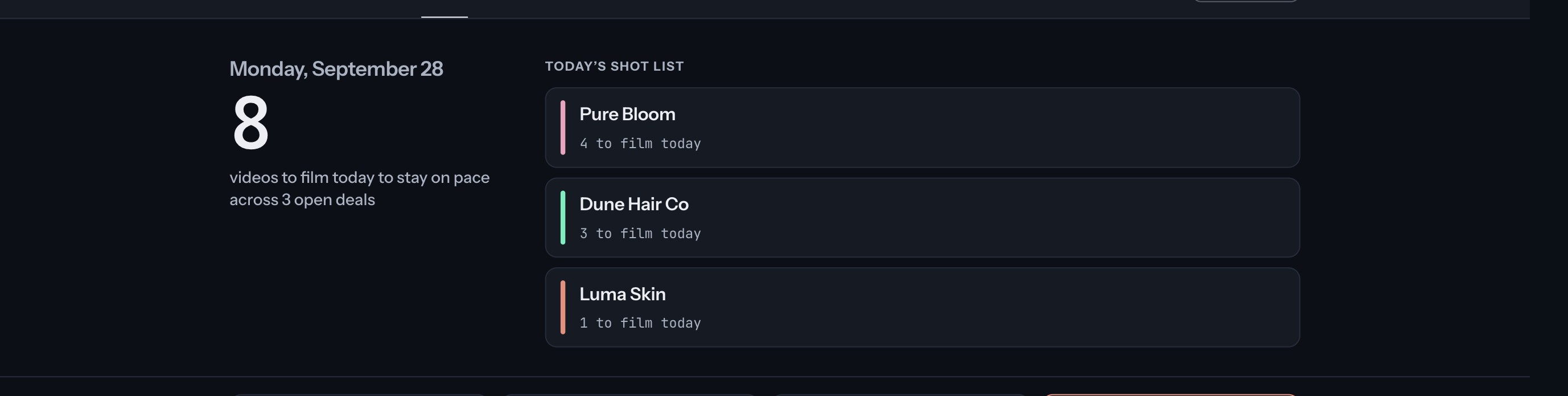
Work down the shot list. It splits that number by brand, heaviest first. A deal that has fallen behind asks for more today; one that is ahead asks for less.
Check “Needs you today”. Anything overdue, delivered and ready to invoice, or unpaid for too long is listed here. Tap a line to go straight to it.
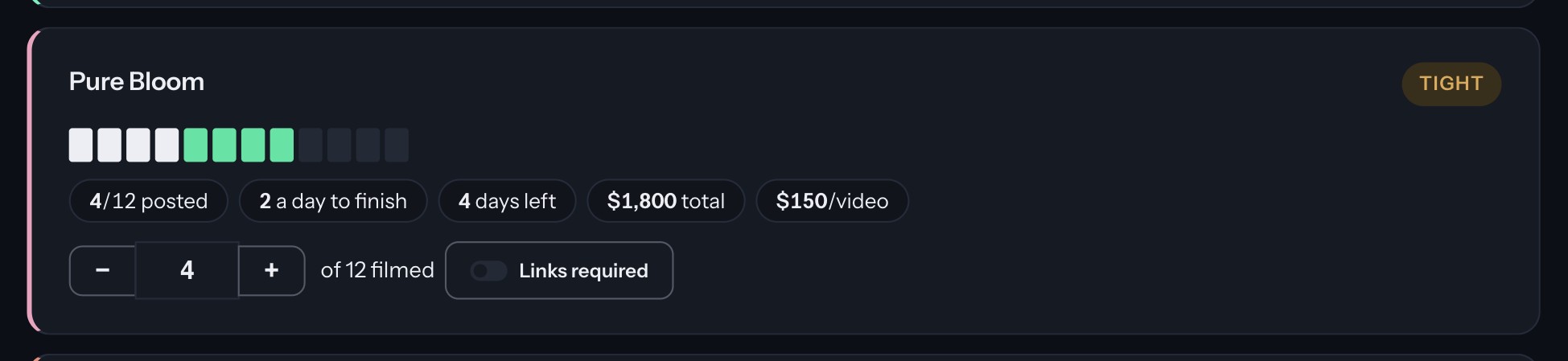
Log videos as you film. Press + on the deal, or type the number in. The squares fill in, the days left and daily pace update, and today’s number comes down.
Getting Paid
0:52What you are owed, how old it is, and turning a finished deal into an invoice.
Open Payouts. The top shows everything you’re owed, split by how long it has been waiting.

Invoice a finished deal. Under “Delivered, not invoiced”, press Make the invoice. If the brand paid without asking for one, press Mark paid instead.
Fill in the invoice. Pick the deal and the brand’s contact fills in from last time. Bank details are typed for that invoice and never saved. The preview beside the form updates as you type.
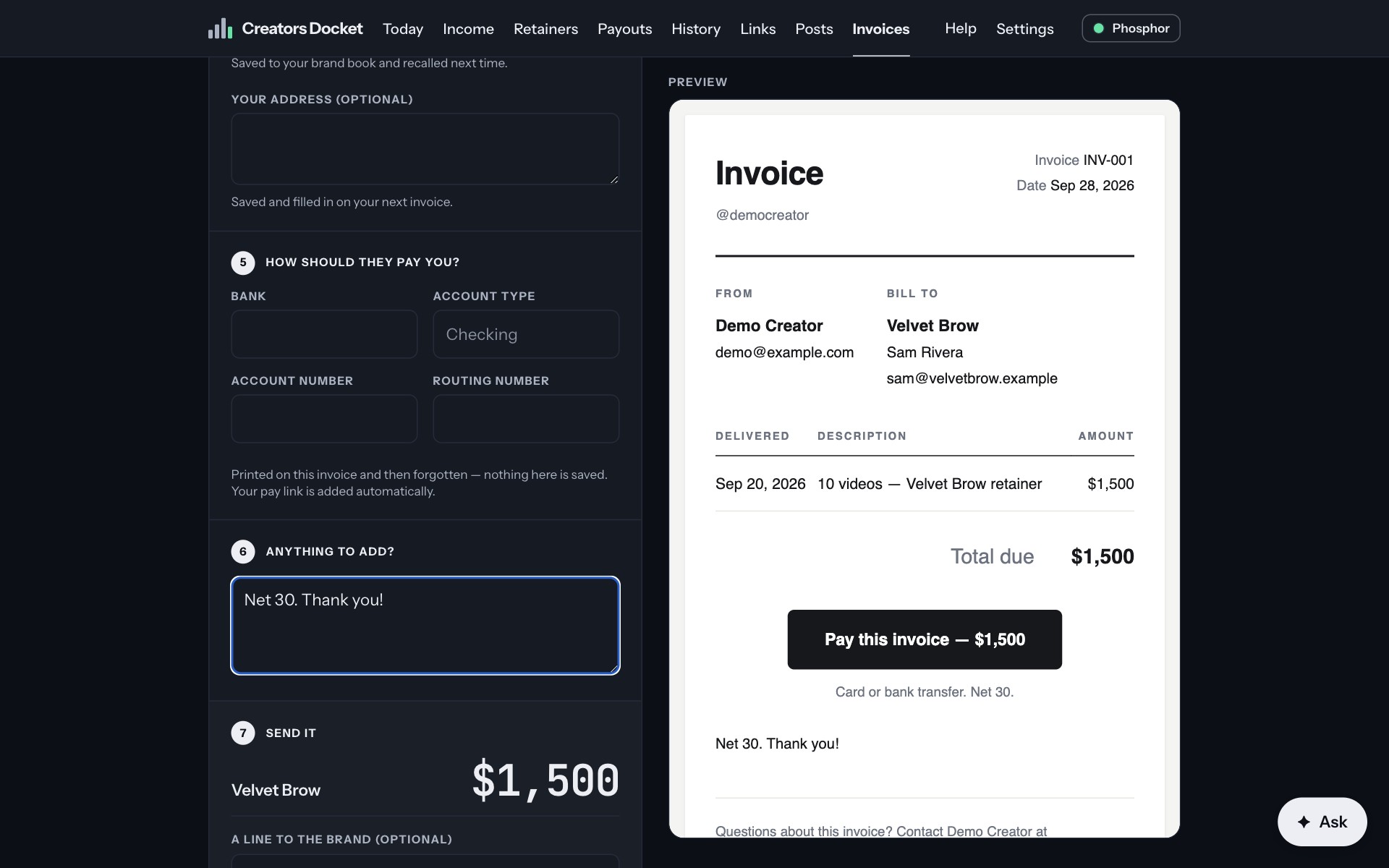
Send it. Send it to the brand from here, and you’re copied in. Or save it and send it yourself.
Mark it paid when the money arrives. An invoice unpaid for more than 60 days turns red, so you know who to chase.

What to Charge Next Time
0:28Your rate card, why it never shows an average, and the line to open with.
Open Brands. Every brand that has paid you gets a file: what they’ve paid in total, what they pay now, and how that has changed.
Open a brand. You’ll see every deal with them and the rate per video, and where to open the next one — above the last rate you agreed.
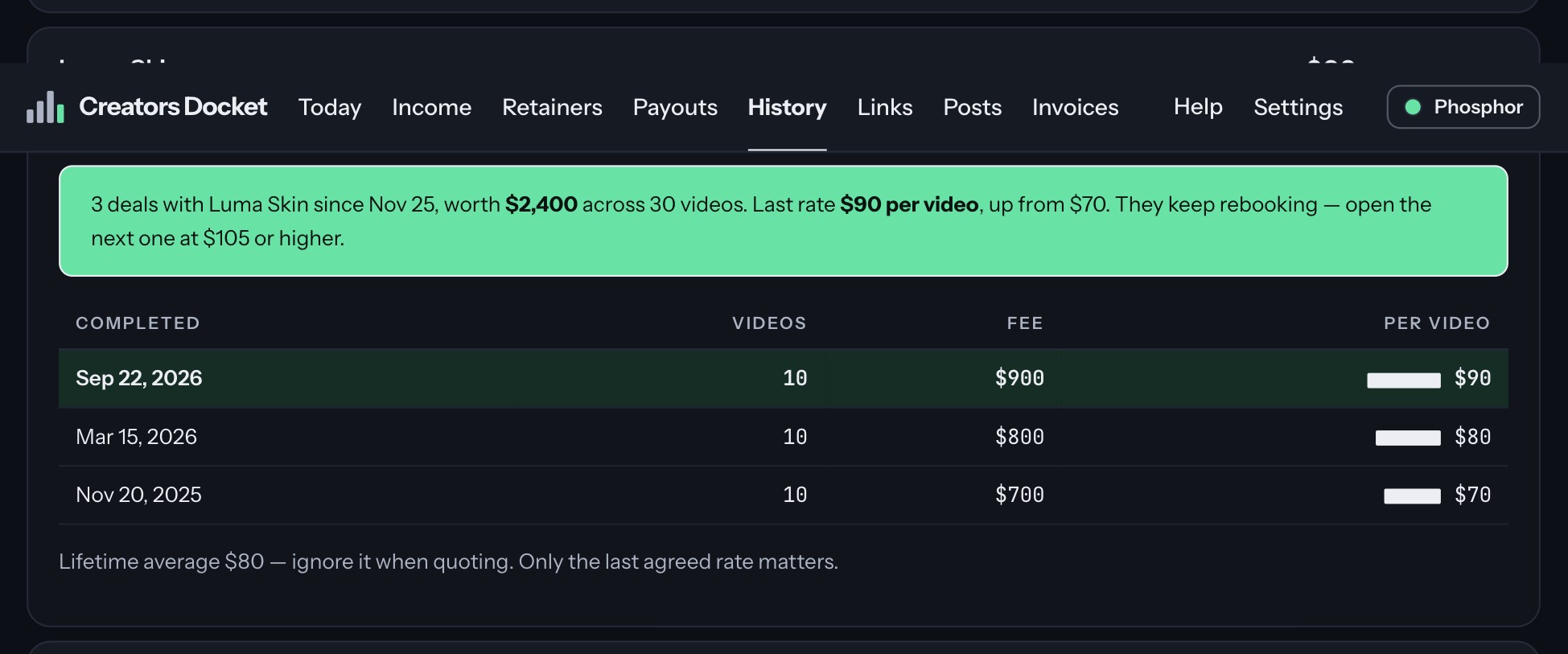
Check “Current rate by brand”. Brands ranked by what they pay you now, never a lifetime average. Averages pull in old cheap deals and make you quote low.
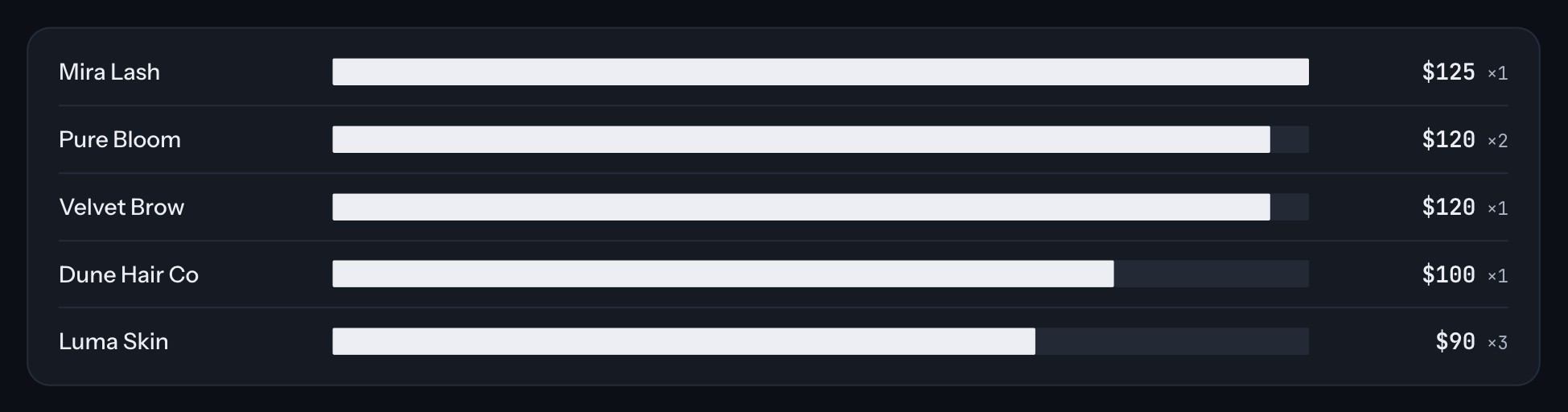
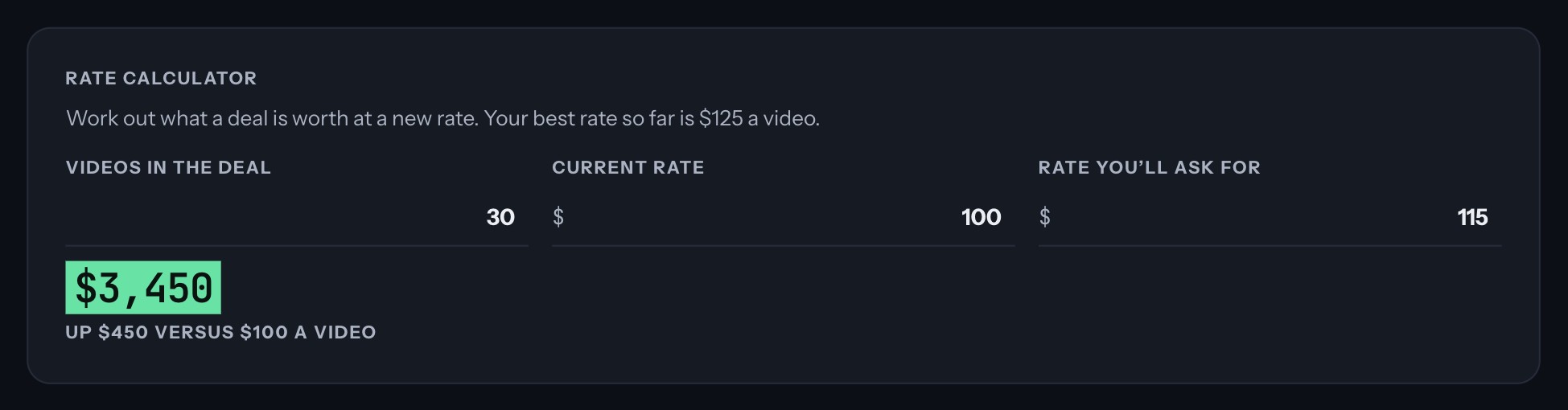
Try a number before you quote it. The rate calculator shows what a deal is worth at the rate you’re thinking of asking, and the difference from your current one.
The videos and pictures use a sample account with made-up brands.